
The Company Data Auditor in ABSS is one of the most powerful yet underutilised tools in the software.
Think of it as a “health checkup” for your accounts, ensuring your data is accurate and reconciled.
It scans your data for inconsistencies, ensures your accounts are balanced, and flags potential errors.
The Company Data Auditor can be accessed from the Accounts Command Centre.
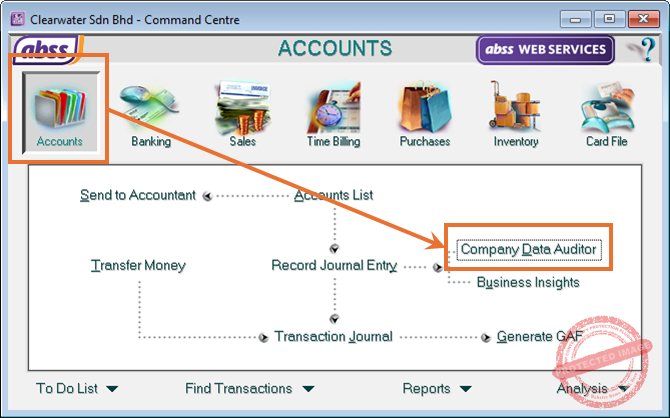
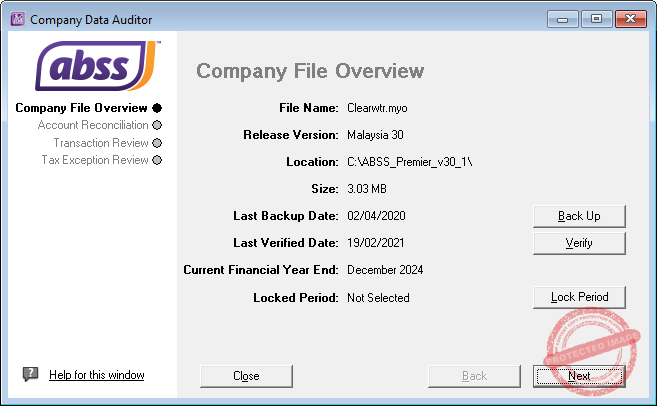
1. Company File Overview
This first step checks the “physical” health of your data file.
Here you can view the following information about your file:
- File Name
- Release Version
- Location
- Size
- Last Backup Date
- Last Verified Date
- Current Financial Year, and,
- Locked Period
Pay special attention to Last Backup and Last Verified dates.
If you have not backed up or verified your file recently, click the corresponding button to do so.
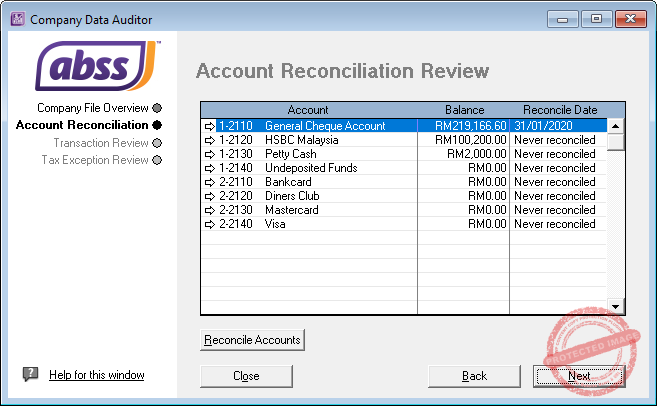
2. Account Reconciliation
This screen displays details of your bank accounts, the balances and the date these accounts have been reconciled.
If you have not reconciled your accounts, you can click on the Reconcile button at the bottom left of the screen to do so.
3. Transaction Review
This performs the following functions:
- Subledger Reconciliation: It reviews if invoices match the linked receivable accounts and purchases match the linked payable accounts.
- Data Accuracy Check: Running this review displays checkmarks if data input is correct and crosses if errors exist in transactions like sales, purchases, or tax code reconciliations.
- Checks if there are future dated transactions.
- Audit Trail Tracking: The auditor allows you to track which user created or modified transactions and when.
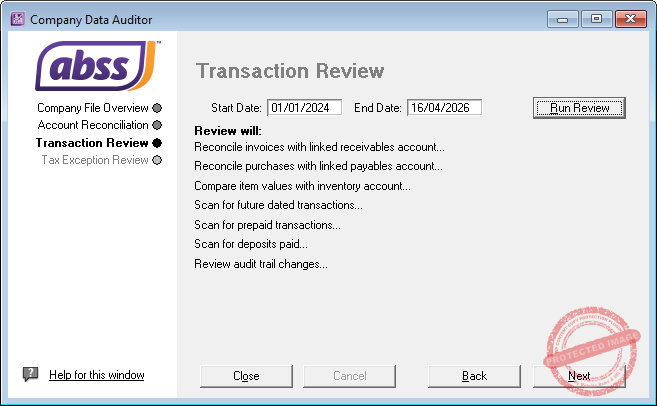
Enter the start and end dates then click on the Run Review button to run the process.
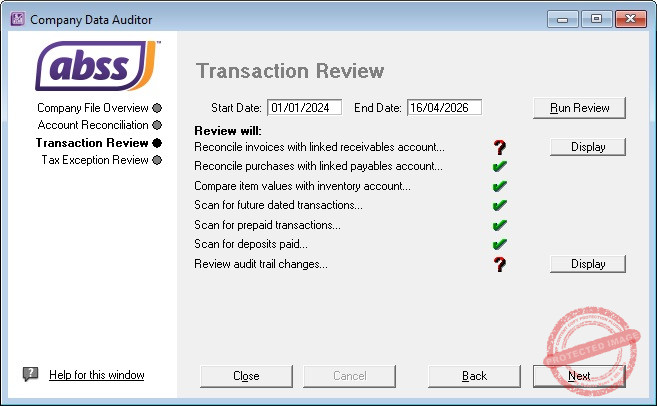
If there are no issues, you will see a green tick.
However, if there are exceptions or inconsistencies, you will see a red question mark. Next to this will be a Display button. Clicking that will produce an exception report showing the exception and possible causes.
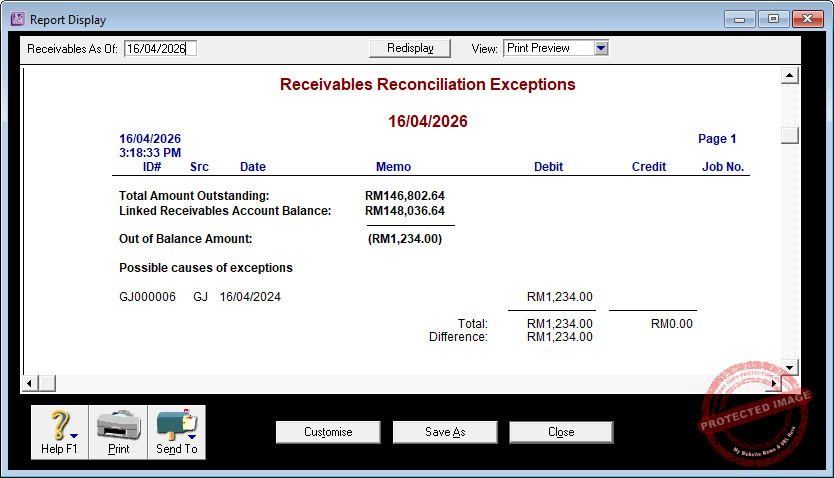
4. Tax Exception Review
The Company Data Auditor in ABSS includes a Tax Exception Review that identifies variances between calculated and posted tax amounts.
It reconciles tax codes with linked accounts and generates reports to correct discrepancies in sales or purchase transactions.
What the Tax Exception Review does:
- Tax Code Alignment
This process compares the tax amounts recorded on your individual transactions against the total balance in your linked tax liability accounts to ensure they match. - Variance Detection
The system automatically identifies any “gap” or discrepancy between the tax you should have recorded based on your sales/purchases and the actual figures in your ledger. - Exception Reporting
If the numbers don’t add up, the tool generates specific reports, like the Tax Code Reconciliation Exception, to pinpoint exactly where the balance mismatch occurs. - Transaction Integrity Audit
The auditor scans all cash and invoice entries to catch “red flag” items, such as transactions missing a tax code entirely or entries where a standard tax code was manually overridden.
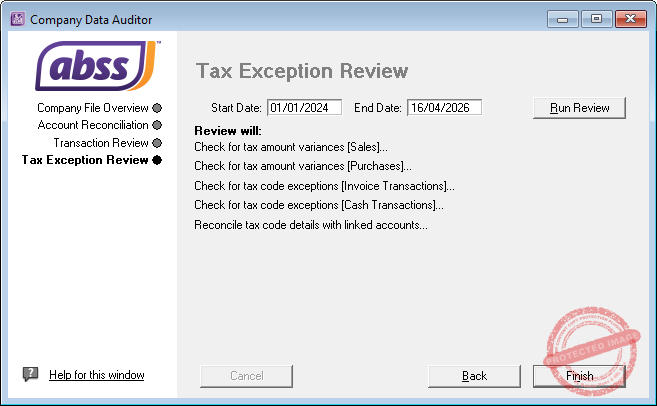
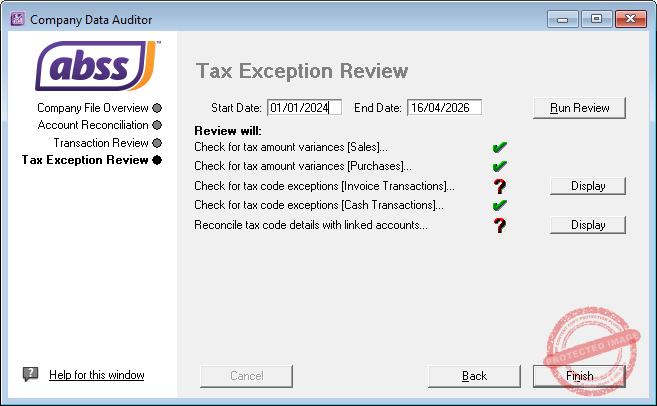
Similar to the Transaction Review step, if there are exceptions or inconsistencies, there will be a red question mark against the particular check.
Clicking on the Display button will generate a report for you to review the transactions.
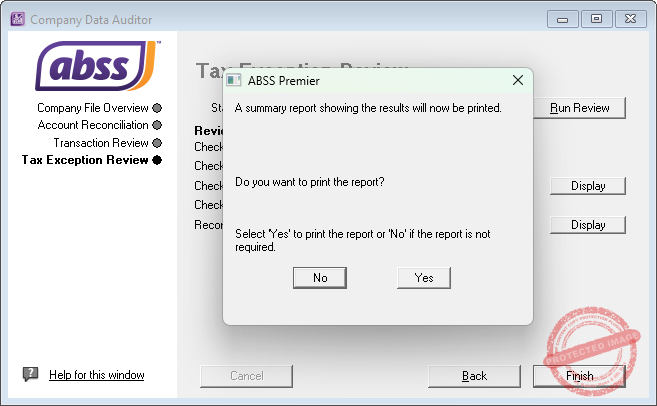
Clicking on Finish will offer you the option of printing a report.
Run the Company Data Auditor monthly. It is much easier to fix a small mistake early than at the end of the financial year when preparing for the audit or tax period.