
 | Click on the link provided in the email as shown. |
 | When prompted, click on Save As |
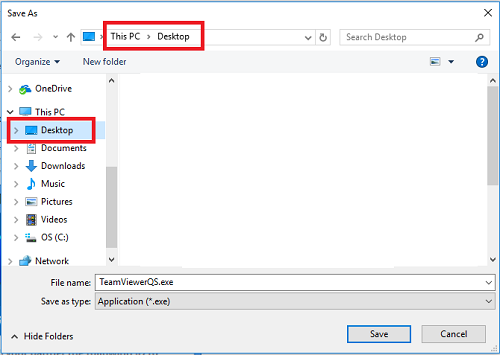 | Select to save on your computer’s Desktop |
 | Once saved, find the Teamviewer icon and double click on it. |
 | Let us know the ID and Password |
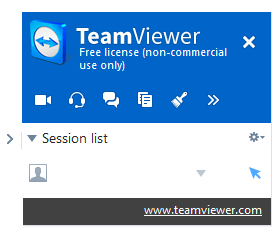 | Once we are connected to your PC, you will see a screen like this. We will now be able to assist or guide you directly on your computer. |